Clue Tools
TextMe.im

Send a message that can be read once.

Web tool  ·  no account  ·  no phone number
  • Encrypted in your browser before it is sent
  • The recipient opens the link once, then it is gone
  • Nothing to install, nothing to sign up for
Ctrl + Enter also sends

A one-time link appears as soon as the encrypted message is stored. It can be opened once, within 72 hours. Share it by text, email or any chat.
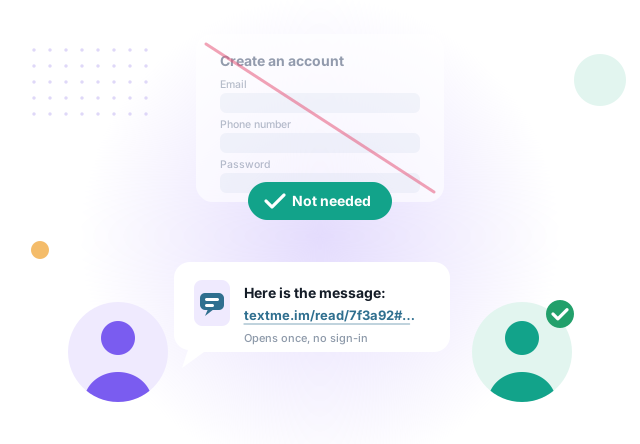
No account, no phone numberNothing to register. Open the page and write.
Encrypted before it leaves your browserThis site stores the encrypted message and holds no key to it.
Read once, then deletedA link that has been opened does not work a second time.
A sign-up form marked as not needed, and a message with a one-time link going from one person to another
No account

No account. No phone number.

There is nothing to register and nothing to sign in to, for you or for the person receiving the message. They only need the link.

What that means in practice

  • No registration. There is no account, no phone number and no address book.
  • Nothing to install. Sender and recipient need only a browser.
  • Not kept. The message is deleted once it has been read, or after 72 hours.
  • Private by design. The site cannot show what it cannot decrypt.
How it works

Two browsers can communicate directly on their own

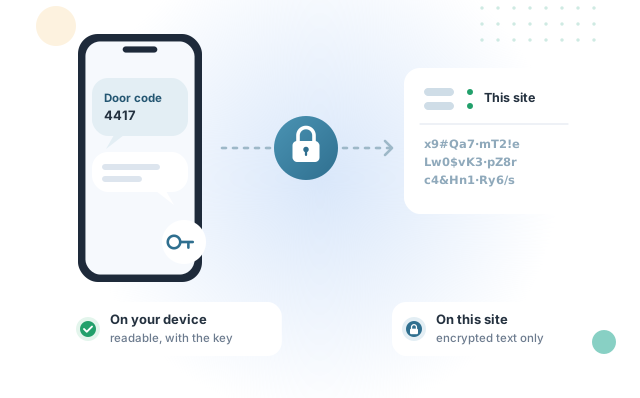
Your device is capable of encrypting a message and another device is capable of decrypting it. No company needs to read, keep or analyze what passes between them. This service only stores the encrypted copy until it is collected, and passes it along.

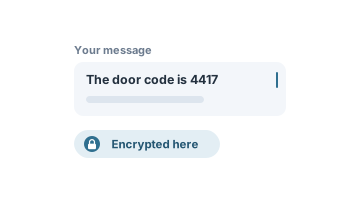
A message typed on this page, marked as encrypted here
1

Write the message

Type it on this page. It is encrypted on this device before anything is uploaded.
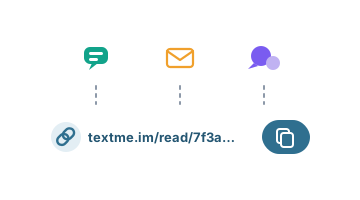
A one-time link with a copy button, to send by text, email or chat
2

Send the one-time link

Share it by text, email or any chat. It can be opened once, within 72 hours.
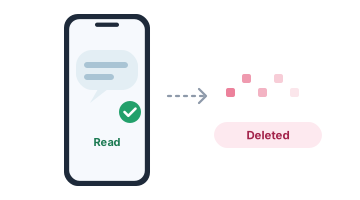
A phone showing the message as read, after which it is deleted
3

It is read once

The recipient opens the link and reads the message. It is then deleted.

Security

Protected from this site, by design

The link has two parts. The first tells the server which encrypted message to hand over. The second, after the #, is the key. Browsers do not send that part to any server, so it stays with you and whoever you give the link to.
https://textme.im/read/7f3a92c1e6…#k9QxT2mZ…
Sent to the serverIdentifies the stored, encrypted message. On its own it decrypts nothing.
Stays in the browserThe key. Created on your device, used by the recipient’s browser to decrypt the message.
Change one character after the # and the message can no longer be decrypted.
A message written on a phone and locked before it is sent; this site holds only scrambled text
Security

Encrypted on your device

The key is created in your browser and used there. The server receives only the encrypted text.

The key is not sent to this site

It lives in the part of the link that browsers keep locally.
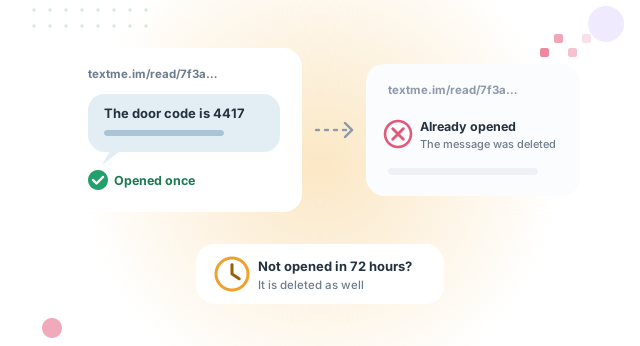
The message opens once; opened a second time, the link shows it was already opened; unopened, it is deleted after 72 hours
Single use

Read once, then deleted

Once the message has been read, it is deleted and the link stops working.

72-hour limit

A message that is not collected is deleted after 72 hours.
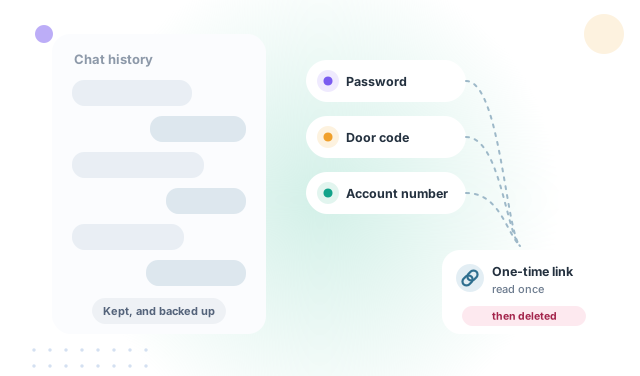
A chat history that keeps everything, beside a password, a door code and an account number sent as a one-time link
Why a link

For the things a chat app should not keep

A password, a door code, an account number, a note meant for one person. Messaging apps are built to keep history and to know who talks to whom. A one-time link is built to be forgotten.
Good for

  • Passwords and sign-in codes for family, colleagues or a client.
  • Account and card details that should not sit in a chat history.
  • A private note sent over a channel you do not fully trust.
  • Documents and photos: use File Sender, which encrypts files the same way.
FAQ

Frequently asked questions

Is it safe to send the link over SMS, WhatsApp or email?
Yes, that is the normal way to use it. Whoever opens the link first reads the message, after which it is deleted. If the recipient tells you the link had already been opened, the message was seen by someone else and you know not to rely on it.
Can this site read my message?
No. The message is encrypted in your browser before it is uploaded, and the key that would decrypt it is in the part of the link that browsers do not send to any server. The site stores and hands over an encrypted copy, nothing more.
How long does the link last?
Until the message has been read once, or for 72 hours, whichever comes first. After that the stored message is deleted and the link stops working.
Can I take a message back?
Yes. Right after the link is created there is a Delete button. Deleting removes the stored message, and the link stops working.
Does the recipient need an account or an app?
No. Only the link and a browser. There is nothing to install and nothing to sign up for, on either side.
Is this a chat?
No, it is a single message. For a two-way conversation that works the same way, use Protected Chat.

Ready to send a message?

Encrypted in your browser and read once, with no account and nothing to install.

The rest of the family

More tools, built to the same standard

Each one does a single job properly, in the same plain language, with no account anywhere.
File Sender

filesender.io
Web and Windows appNo account

Send a file from the browser, encrypted before it is uploaded, or use the Windows application for larger files and whole folders.

Visit filesender.io →
Protected Chat

protected.chat
Web toolNo account

A one-time encrypted conversation that opens from a link. No account, no phone number and no history kept.

Visit protected.chat →
MyPC.direct

mypc.direct
Windows appNo account

Reach your own PC from anywhere over a direct, encrypted channel between the two machines, using credentials of your own choosing, with no provider or service in the middle.

Visit mypc.direct →

Sending.Pics

sending.pics
Windows appFree for personal use

Hand a whole gallery of photos and videos to family directly from your computer, using one-time codes that expire on their own and can be revoked at any moment.

Visit sending.pics →

Claim Disk

claimdisk.com
Windows appFree for personal use

Reads the drive’s own file table instead of walking folders, so the whole disk appears quickly, sorted by size. Delete, move and rename from the same window, with a running total of the space reclaimed.

Visit claimdisk.com →

LAN Fixer

lanfixer.com
Windows appFree for home use

Shows the devices on your network in about thirty seconds, explains in plain English what is wrong, and fixes it in one click — with a link straight to your own router’s security advisories and firmware.

Visit lanfixer.com →

Map Blocker

mapblocker.com
Windows appFree for personal use

Draws the connections your PC makes on a map of the world, shows which program made it, and blocks any address, region or whole country that has no business being there.

Visit mapblocker.com →
Header Scanner

headerscanner.com
Web toolNothing to install

Paste an email header to trace where the message really came from — every hop, by country and address — and decode what the obscure header codes actually mean.

Visit headerscanner.com →

Free for personal use, all of them. Organizational use (business, government and non-profit) of the Windows applications starts at $19.99 per seat.

Encrypting and storing

The message is being encrypted in this browser and the encrypted copy uploaded. One moment.

Encrypting
Uploading
Storing